


Steenbok1980 Eerste Seizoen

Update geplaatst door steenbok1980
· 6386 weergaven
Een echte beginner, druk doende alles aan het uitzoeken en bekijken wat ik wil hebben en hopelijk straks eten.
Ik ga beginnen op een stukje van 50m2, 10 bij 5. Wilde alles in MM- bakken gaan doen, maar dat wordt helaas ne even te kostbaar om te doen in 1 keer.
Vandaag alvast begonnen met paprika`s, pepers, sugarsnaps en tomaten voor te zaaien op de vensterbank.
Het stuk is voor de tuin is nu kaal, hebben laatste jaren heesters en sierstruken/ vaste tuinplanten gestaan heb ik begrepen.
Moet dus nog het nodige aan gebeuren voor er iets de grond in kan. Basis ondergrond is klei. Tegelpaadje zou ook fijn zijn, net als een dichte compostbak.
Speuren op marktplaats!
Dit is de voorlopige planning. Bedden op de maat van bakken gehouden met oog op uitbereiding.
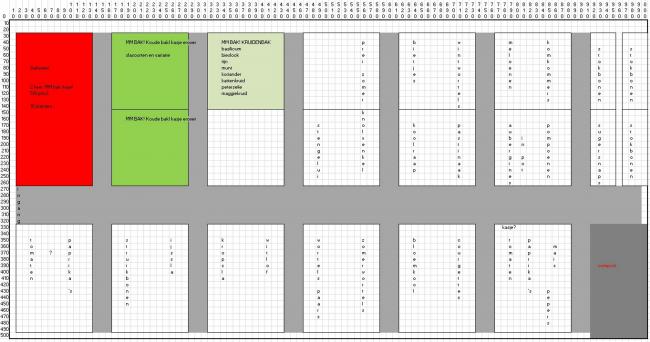
Plaatje krijg ik niet groter helaas.
Aanbevolen reacties