Jump to content
View in the app

A better way to browse. Learn more.

Moestuin Forum

A full-screen app on your home screen with push notifications, badges and more.

To install this app on iOS and iPadOS
  1. Tap the Share icon in Safari
  2. Scroll the menu and tap Add to Home Screen.
  3. Tap Add in the top-right corner.
To install this app on Android
  1. Tap the 3-dot menu (⋮) in the top-right corner of the browser.
  2. Tap Add to Home screen or Install app.
  3. Confirm by tapping Install.

De nieuwe peper planten in de tomaten serre had ik nog niet laten zien. Bij de vorige foto stonden de planten er nog niet dus hier maar is een update.
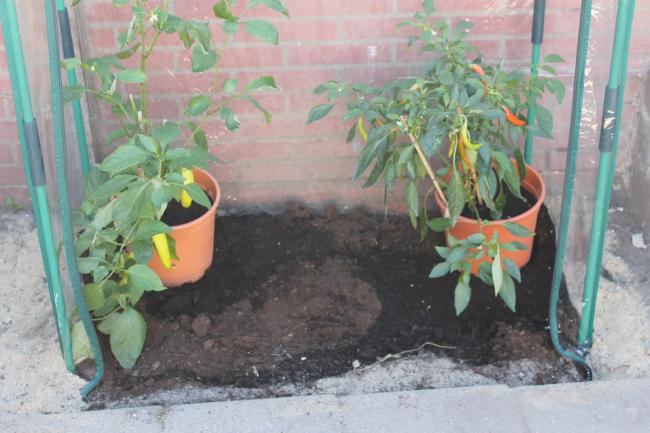
img342669101375371432.JPG


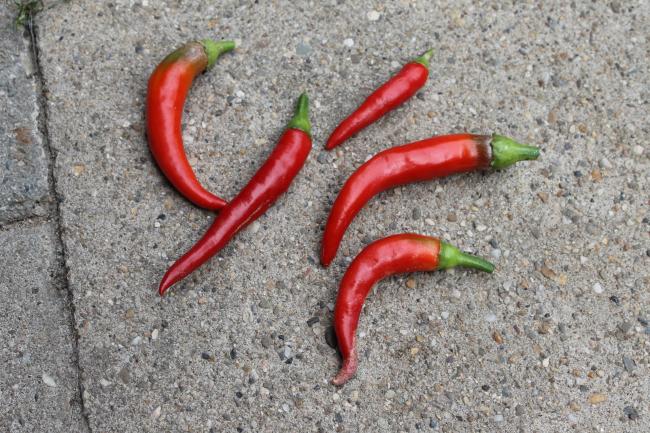
Ik kon ook al meteen oogsten.


img342484411375278188.JPG


Ik heb ze ingevroren als ik dan genoeg pepers heb kan ik sambal maken.


img342797151375371439.JPG


De boerenkool plantjes heb ik eergisteren gezaaid en komen nu al op! Helemaal blij mee nog even wachten tot ze groter zijn en dan kan ik ze naar hun vaste stek verpoten.

0 Comments

Recommended Comments

There are no comments to display.

Guest
Add a comment...

Configure browser push notifications

Chrome (Android)
  1. Tap the lock icon next to the address bar.
  2. Tap Permissions → Notifications.
  3. Adjust your preference.
Chrome (Desktop)
  1. Click the padlock icon in the address bar.
  2. Select Site settings.
  3. Find Notifications and adjust your preference.