


Jump to content
View in the app

A better way to browse. Learn more.

Moestuin Forum

A full-screen app on your home screen with push notifications, badges and more.

To install this app on iOS and iPadOS
  1. Tap the Share icon in Safari
  2. Scroll the menu and tap Add to Home Screen.
  3. Tap Add in the top-right corner.
To install this app on Android
  1. Tap the 3-dot menu (⋮) in the top-right corner of the browser.
  2. Tap Add to Home screen or Install app.
  3. Confirm by tapping Install.

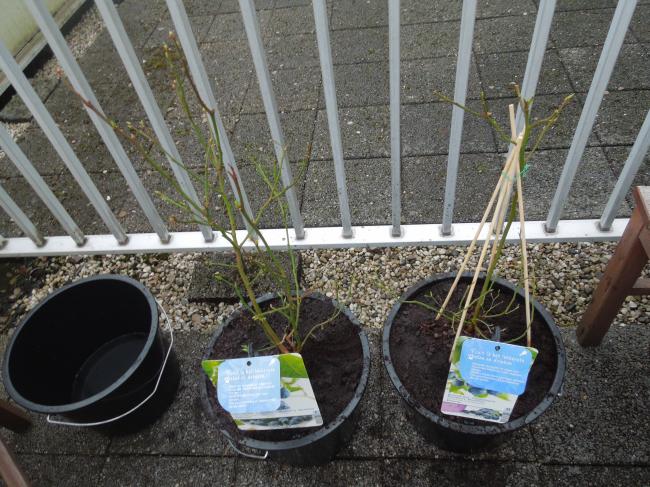
In afwachting van de zon heb ik alvast een aantal bessen geplant op het balkon!
 

dscn232345721362062458.JPG


Dit zijn de twee blauwe bes soorten: Goldtraube en Bluecrop. Verder nog een zwarte bes gekocht zonder een duidelijke ras vermelding dus dat blijft een verrassing!


En hopelijk kan ik dan van het weekend de vierkante meter bak volgooien!

1 Comment

Recommended Comments

jeanne-heijmans

Members

Volgende weel echt lente weer, laten we dat voortzetten. succes.

Guest
Add a comment...

Configure browser push notifications

Chrome (Android)
  1. Tap the lock icon next to the address bar.
  2. Tap Permissions → Notifications.
  3. Adjust your preference.
Chrome (Desktop)
  1. Click the padlock icon in the address bar.
  2. Select Site settings.
  3. Find Notifications and adjust your preference.