Jump to content
View in the app

A better way to browse. Learn more.

Moestuin Forum

A full-screen app on your home screen with push notifications, badges and more.

To install this app on iOS and iPadOS
  1. Tap the Share icon in Safari
  2. Scroll the menu and tap Add to Home Screen.
  3. Tap Add in the top-right corner.
To install this app on Android
  1. Tap the 3-dot menu (⋮) in the top-right corner of the browser.
  2. Tap Add to Home screen or Install app.
  3. Confirm by tapping Install.

Jaar 2 - update 2 (WORTELDOEK in de moestuin)

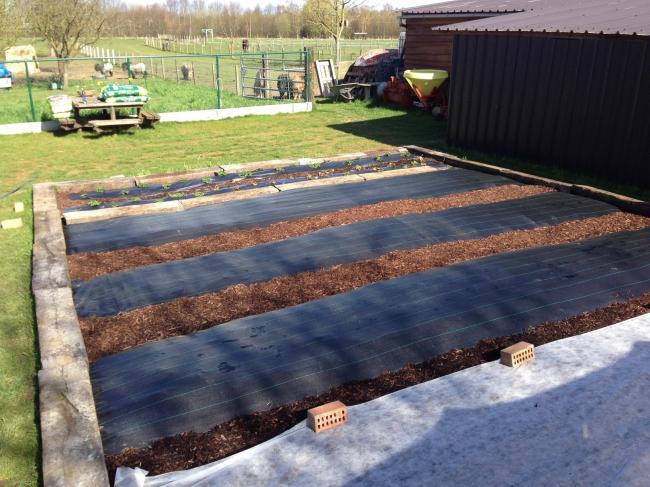
Vorig jaar had ik enorm veel last van onkruid. Velen telen hier daarom onder worteldoek. Dit ben ik dus dit jaar ook van plan.


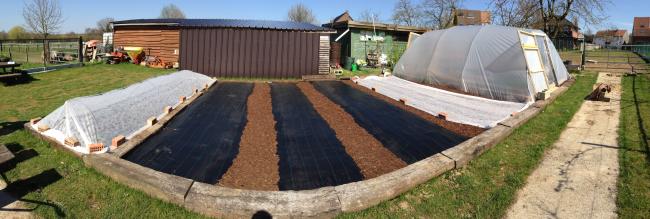
Om de tuin om te vormen van de eerste tot de laatste foto had ik zo'n 10uur nodig. Op zich dus niet zo veel in verhouding met amper moeten wieden.
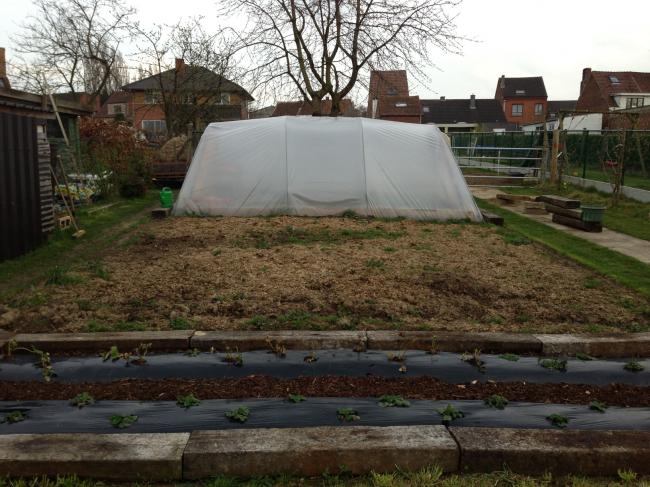
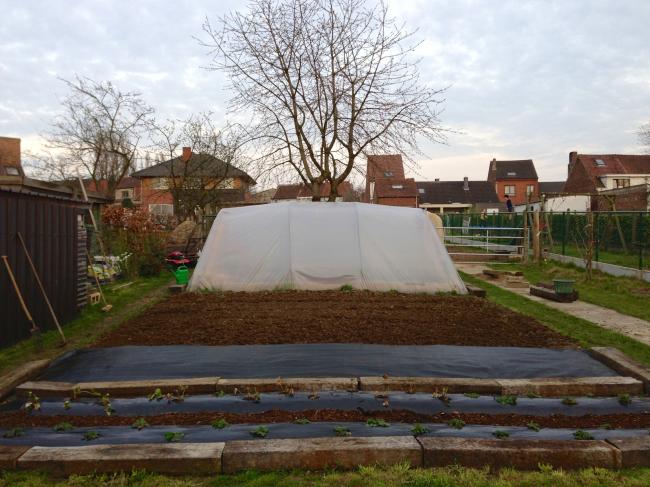
 

img201389991366475382.jpg


img201452731366475393.jpg


img204620191366475407.jpg


img205117611366475426.jpg


Ik ben er best wel trots op! Alles ligt er ordelijk bij. Links zitten de aardbeien onder een vlies. Rechts wortelen en spinazie.


In het midden moeten dan de kolen/ajuinen/courgetten/slatjes/.... komen. De gaten moet ik nog maken.


Ik weet nog niet goed hoe maar dat is een werkje voor volgende week.

0 Comments

Recommended Comments

There are no comments to display.

Guest
Add a comment...

Configure browser push notifications

Chrome (Android)
  1. Tap the lock icon next to the address bar.
  2. Tap Permissions → Notifications.
  3. Adjust your preference.
Chrome (Desktop)
  1. Click the padlock icon in the address bar.
  2. Select Site settings.
  3. Find Notifications and adjust your preference.